

 Audience: Admin
When creating a user, you can assign a role to define their access and permissions within the platform. You can add, change or remove a role at any time by editing a user.
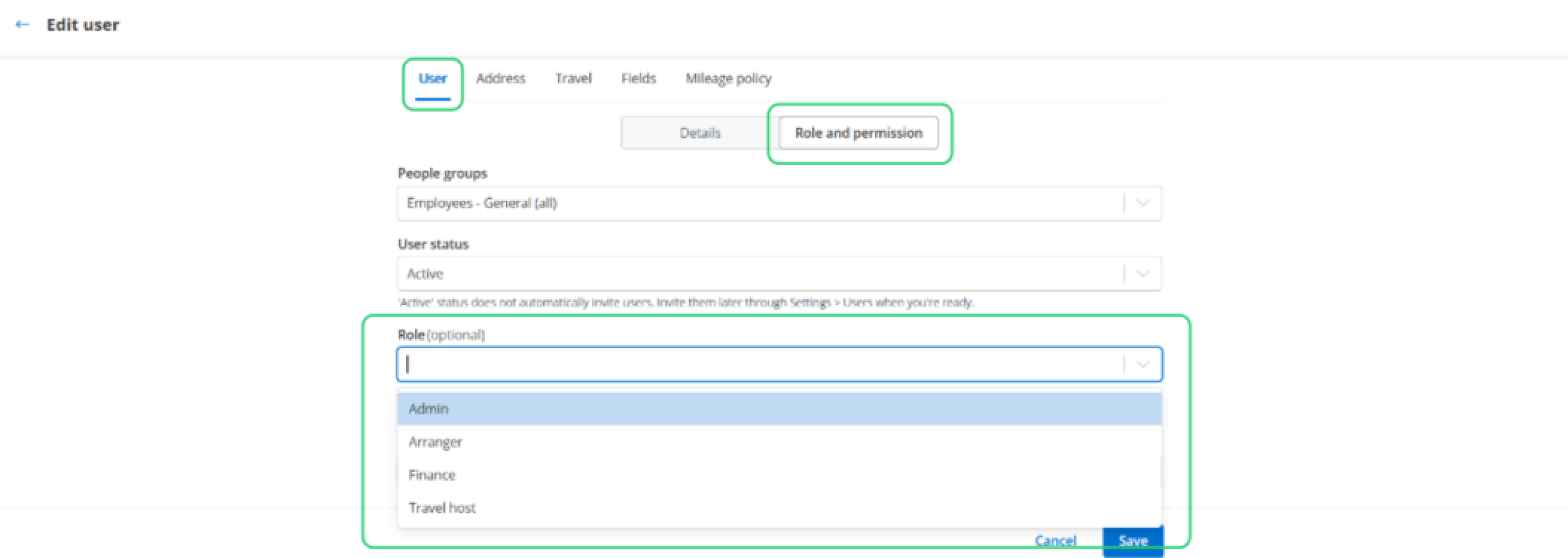
There are 4 roles available: Admin, Arranger, Finance, and Travel Host. If no role is assigned, the user will only be able to see their own transactions and purchases, and book, view, and manage travel for themselves.
Some people also hold an approval role, which makes them responsible for approving events, expenses or budgets. Approval role aren't set in the Role field. Learn more about Approval roles.
 Tip: In this article, a 'user' is an internal user for your company. Guests aren't referred to as 'users', and these roles don't apply to guests.
Assigning User Roles
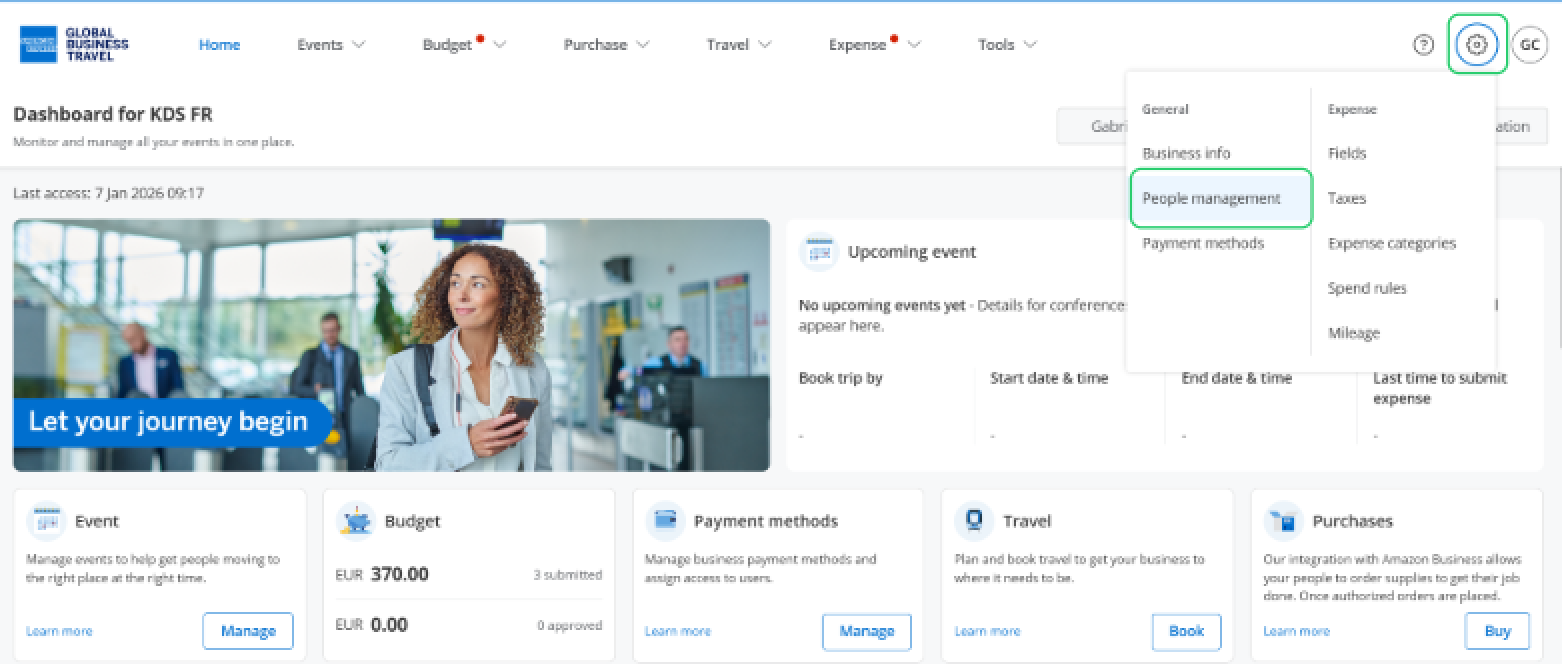
Click Settings, then select 'People management' in the General section.
Select the pencil icon on the right hand side.

Under the User section, click 'Role and Permission', then click 'Role' to view all available roles that can be assigned to a user.
Admin
Admins have full access to the platform, including the Settings tab. They can perform all tasks.
- Only Admins can manage company settings (including creating users), expense settings (including payment and shared cards) and event settings.
- By default, Admins have the same access as Arranger, Finance and Travel Host.
- This role can be assigned to multiple users.
Arranger
Users with this role can book travel on behalf of another user. They can also create guests and book travel for guests.
This role can be assigned to multiple users.
Note: The Arranger cannot create a new user profile or assign a shared company card. They can only book travel for themselves or another user.

Finance
Users with the Finance role gain access to the finance audit approval stage of the workflow, and the reconciliation functionality to process expenses and extract to finance system.
Finance users can also run reports for the whole organization. This role can be assigned to multiple users.

Travel Host
Users with this role can create a guest profile and book travel on their behalf.
This Guest function is used when travel needs to be booked for non-employees for a one off trip.
 Next Steps: Now that you are familiar with the user roles, see this guide to setup new users or this guide to manage existing user profiles.
Read the next article: Managing user profiles.