

 Audience: Admin
Event approvers review events before they open to guests, so that any employee can create an event without the Admin rights. Unlike user roles, an approval role isn't set in the Role field.
Any company user can be an Event approver, whatever their role. Guests can't.
 Tip: In this article, a 'user' is an internal user for your company. Guests aren't referred to as 'users', and these roles don't apply to guests.
Who approves which event
Who can approve an event depends on its payment method:
- Events that don't use virtual Card: the Event approvers added with a Company payment delegation approve them. They can't approve events that use a virtual Card.
- Events that use a virtual Card: the Event approvers with a Virtual Card delegation approve them. They can approve any event, whatever its payment method. Only the funding Card owner can create a Virtual Card delegation to provide a user with approval rights on events using virtual Cards.
How approval works
For both types of event:
- If an event has more than one Event approver, they all receive the approval request email. Only one of them needs to approve.
- A rejection must include a reason. The event owner can read it before adjusting and resubmitting the event.
- Each Event approver is added for a set period. The period can't exceed 12 month and can start at a later date.
- Admins can add themselves as Event approvers to receive the request emails.
- You can edit or delete an Event approver at any time. Ended ones move to Past delegations.
Events waiting for approval appear under 'Settings', then 'Event approval' in the Events section

How to assign an Event approver
For events without a virtual Card
Any admin can add these Event approvers.
Click 'Settings', then select 'Event approval' in the Events section.
Select 'Company payments delegation', then click 'Add delegation'
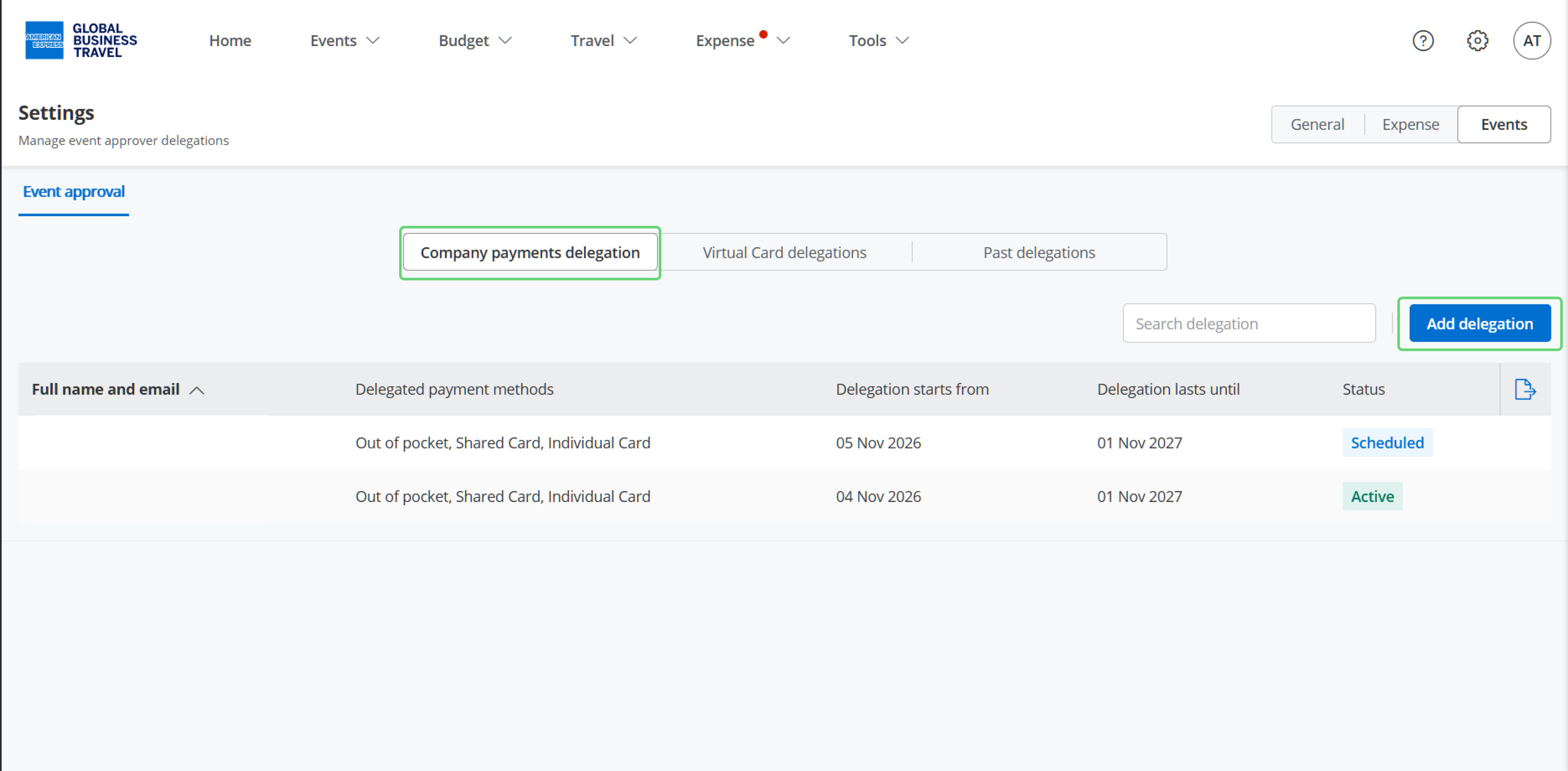
In Approver, select the user, then set start and end dates and times (The period can't exceed 12 months).
Click 'Confirm' 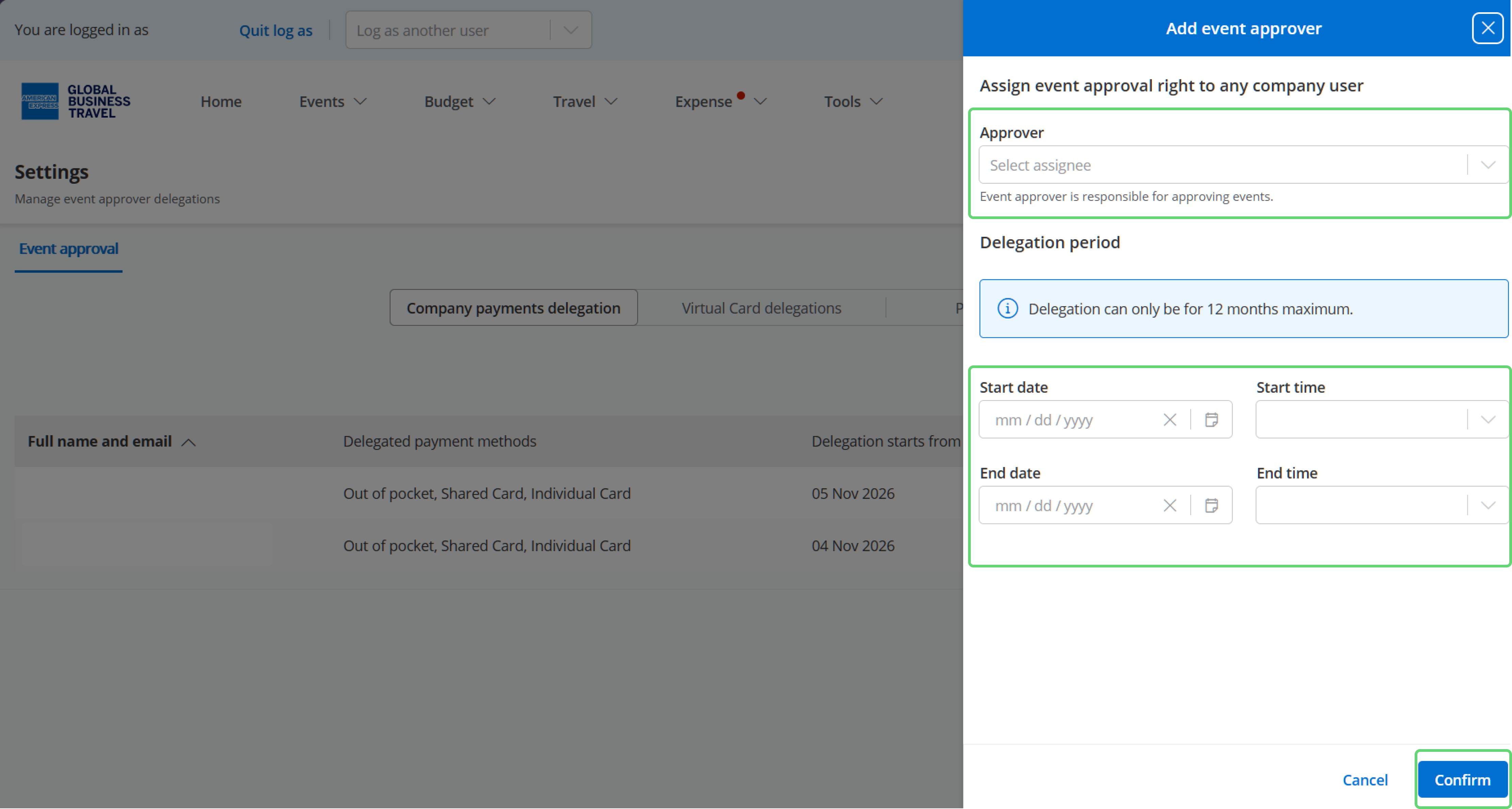
Admins can only add and delete Event approvers under Company payments delegation.
For events with a virtual Card
Only the owner of the funding Card can add these Event approvers. This is the owner of the corporate or meeting Card enrolled to fund virtual Cards in the company payments settings.
The Event approvers they add can then add further ones.
Click 'Settings', then select ' Event approval' in the Events section 
Select 'Virtual Card delegation', then click 'Add delegation'
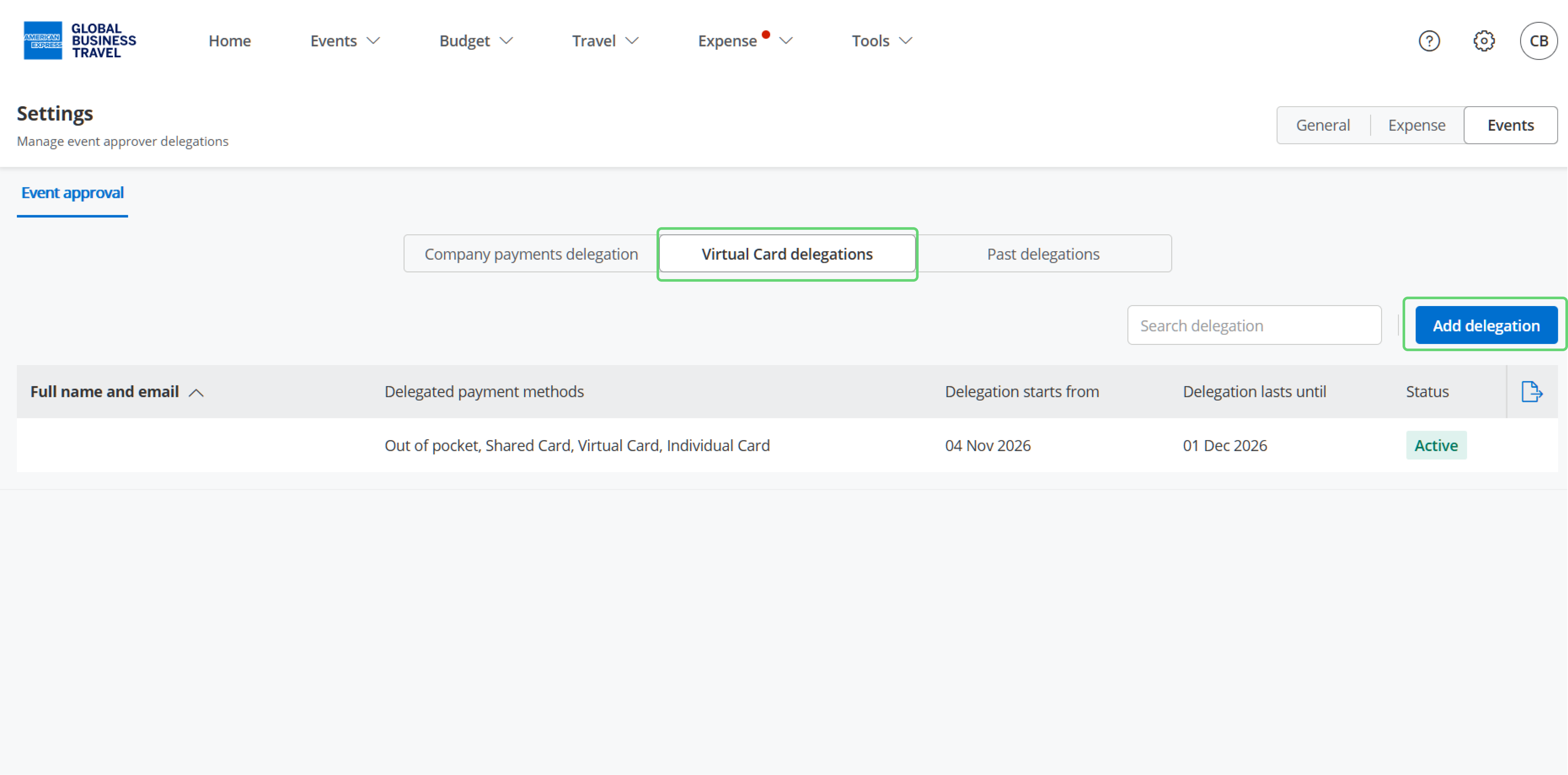
In Approver, select the user, then set start and end dates and times (The period can't exceed 12 months).
Click 'Confirm'
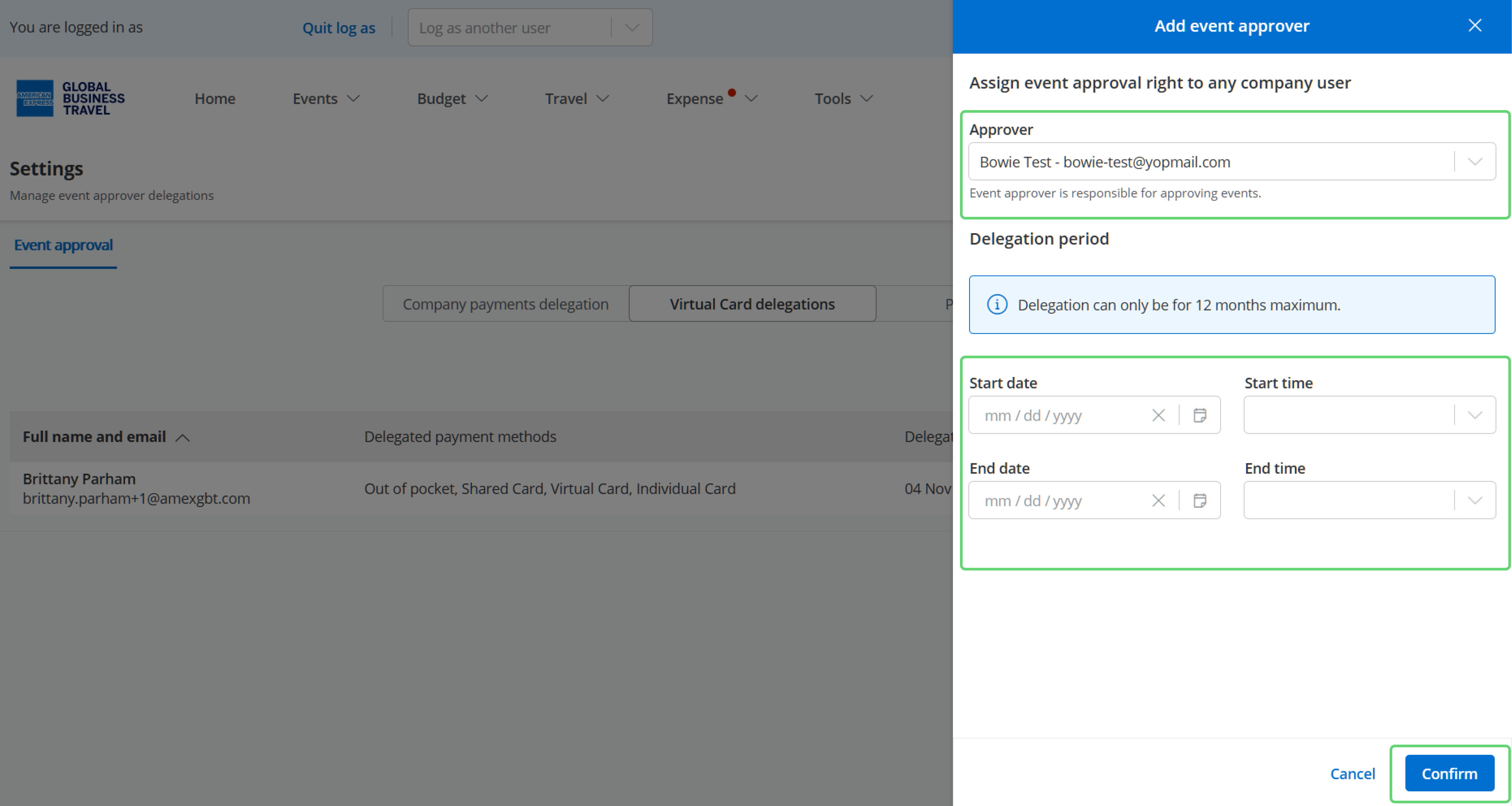
The owner of the funding Card can only add delete Event approvers under Virtual Card delegations.
Related articles: Approval roles