

 Audience: Admins
Event authorization gives admins control over which Events go live. Before an Event opens to guests, you can review its details, RSVP settings, travel policy, travel search rules, budget and payment settings. You can then approve it, or send it back with clear feedback. This helps keep events aligned with your company's policies and budget, and it prevents unplanned spend.
Find Events pending authorization
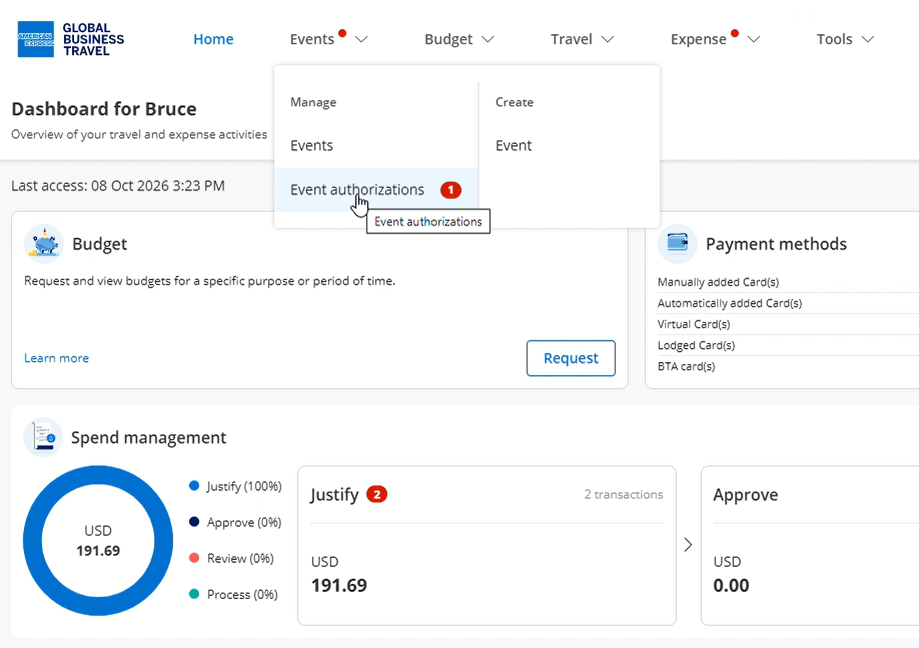
From the top navigation menu, select Events, then Event Authorizations. A notification tells you which events are pending authorization.
Review the Event
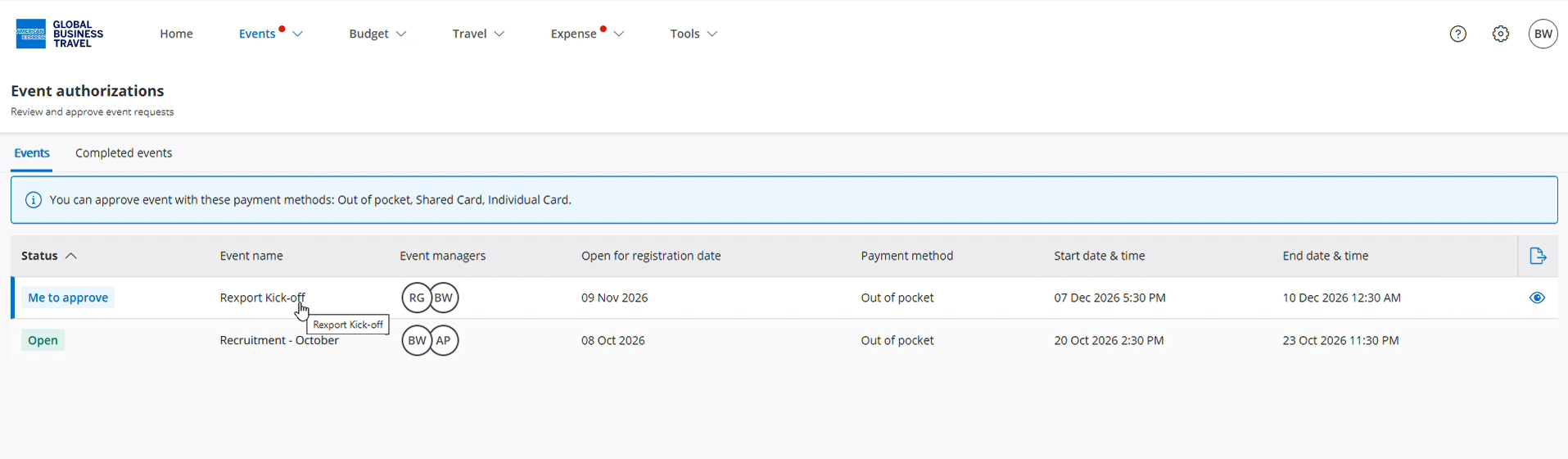
Select the Event you want to approve or reject.
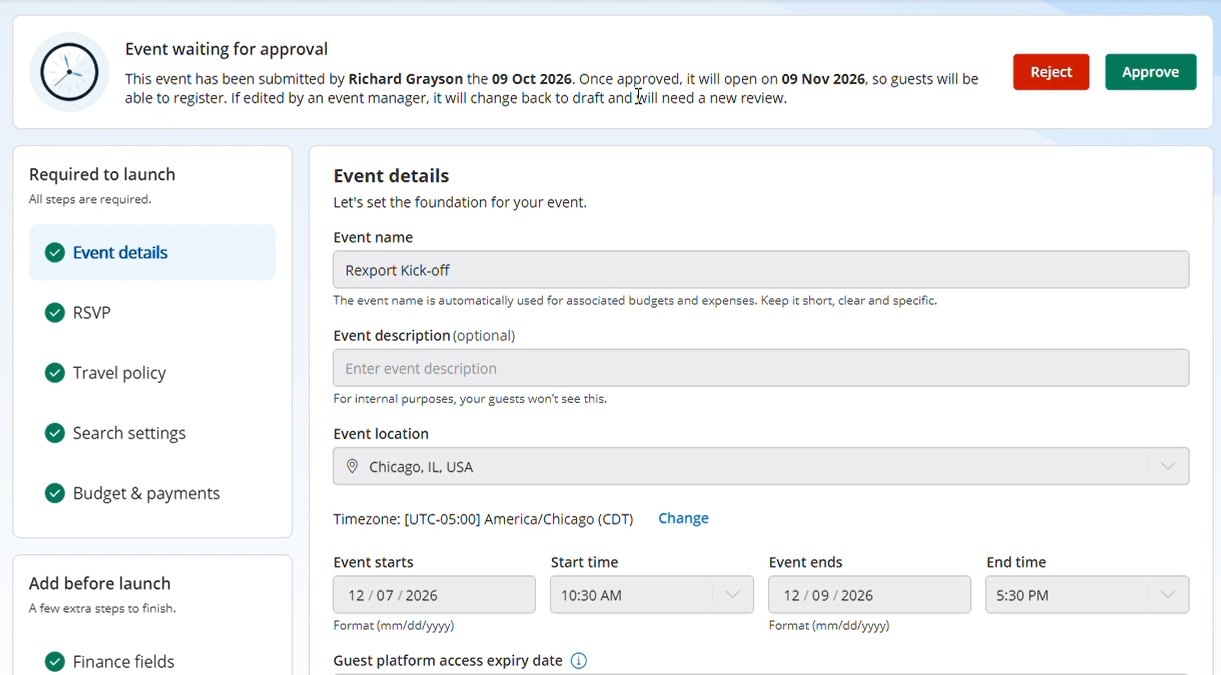
Select each section on the left-hand side to view the Event details, RSVP, travel policy, travel search, budget and payment settings.
Approve or reject the Event
At the top of the page, select Approve to authorize the Event to open, or Reject to refuse it.
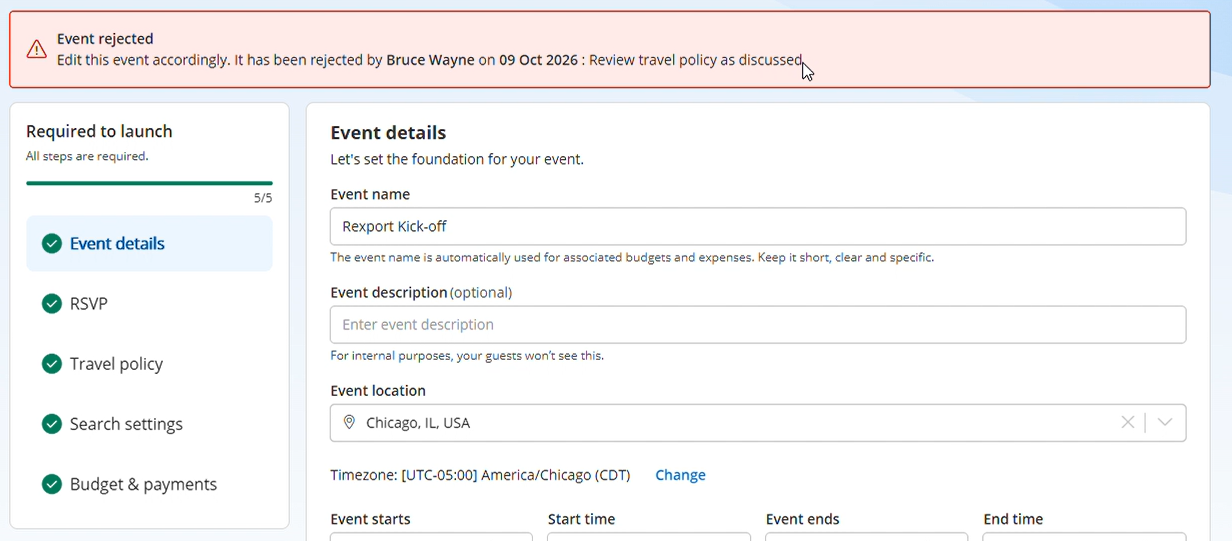
If you reject an Event, you must give a reason. The Event creator can see this reason.
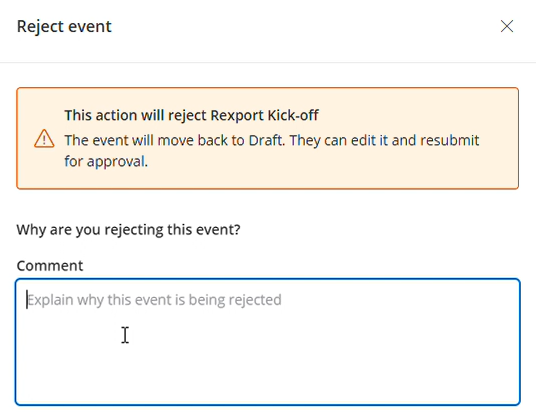
The reason tells the Event creator what to adjust before the Event can open. The Event creator can then modify the Event and submit it again for authorization.
Also read: Learn more about Events