

 Audience: Admin
A Supervisor is an approval role. They approve the travel booking requests and expense reimbursements of the guests they supervise. Unlike user roles, an approval role isn't set in the Role field.
 Tip: In this article, a 'user' is an internal user for your company. Guests aren't referred to as 'users', and these roles don't apply to guests.
What a Supervisor does
Each guest has one Supervisor, and a Supervisor can supervise several guests. Once assigned, the Supervisor approves:
- Travel booking requests, if pre-trip approval is enabled. Otherwise they can only receive email notifications.
- Expense reimbursements
How to assign a Supervisor
You assign Supervisors when you add guests to an event. You can do it while creating the event, or later from the event dashboard.
Add a guest manually and assign a Supervisor when creating an event:
When you are creating an event and manually add guests, click 'Supervisor' to select the guest's Supervisor from the list.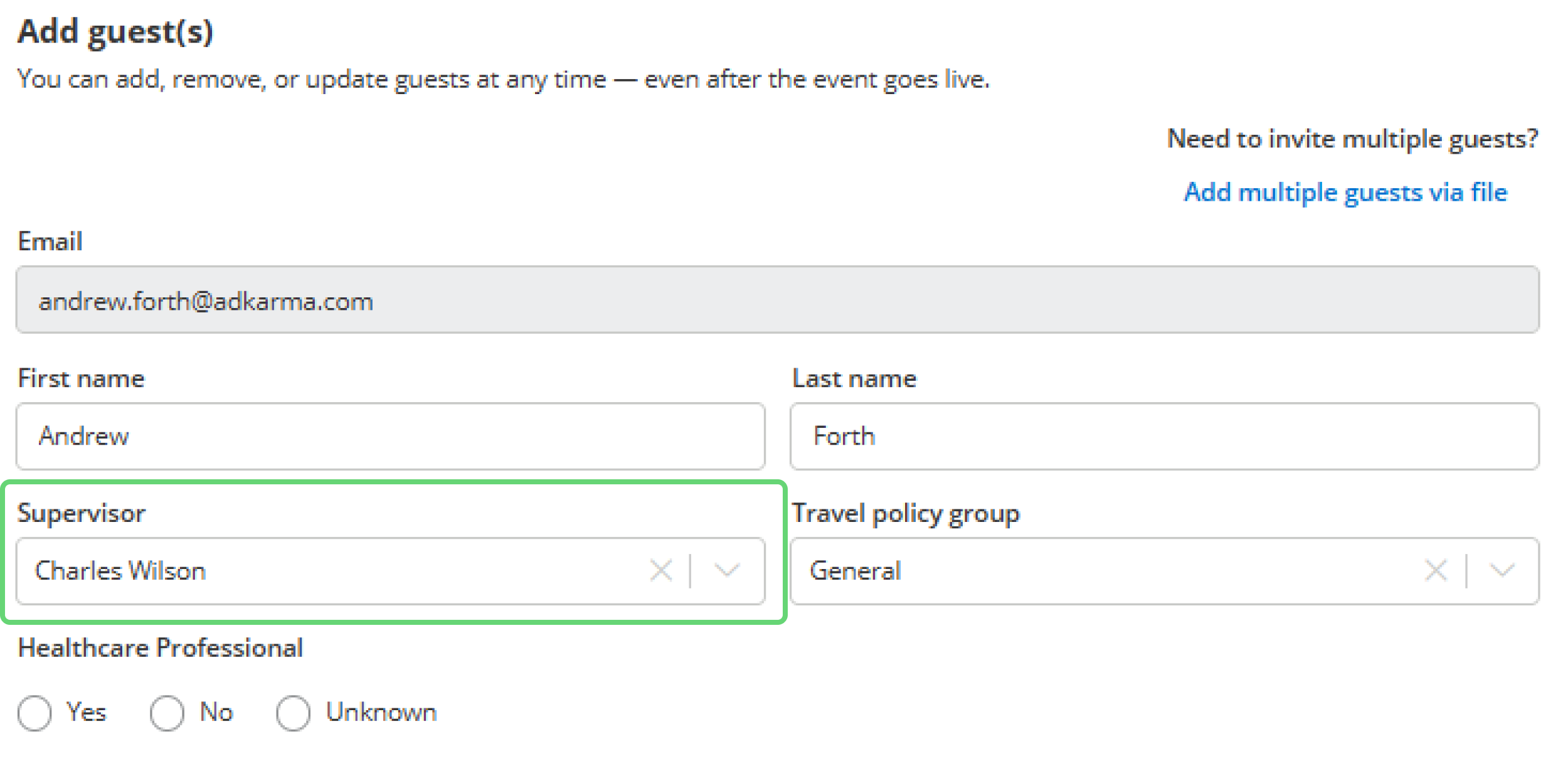
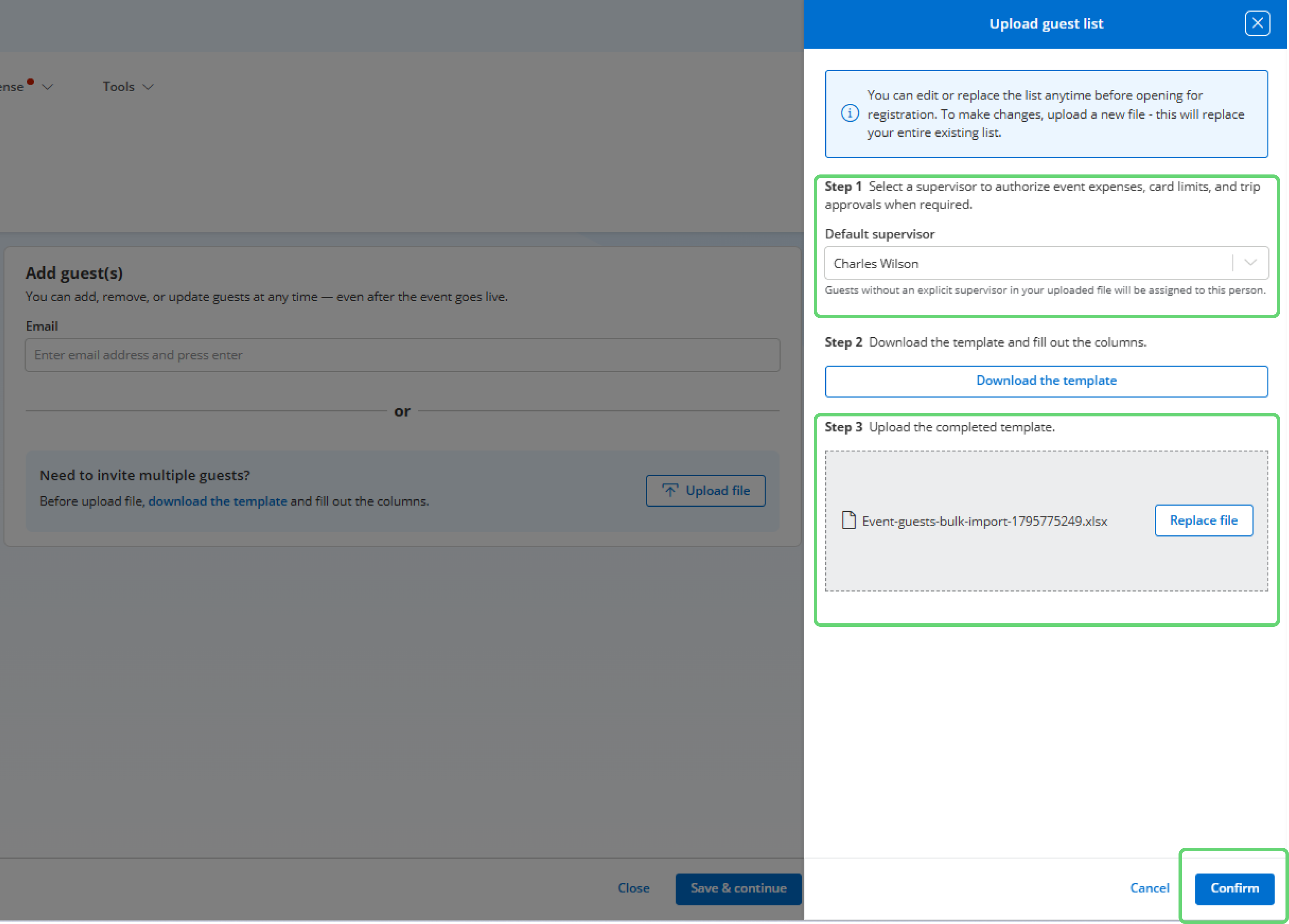
Set a default Supervisor for multiple guests
To invite several guests at once, click 'Upload file' when you're creating an event. When you upload the guests list, you can select a default Supervisor for all guests.
Change a guest's Supervisor
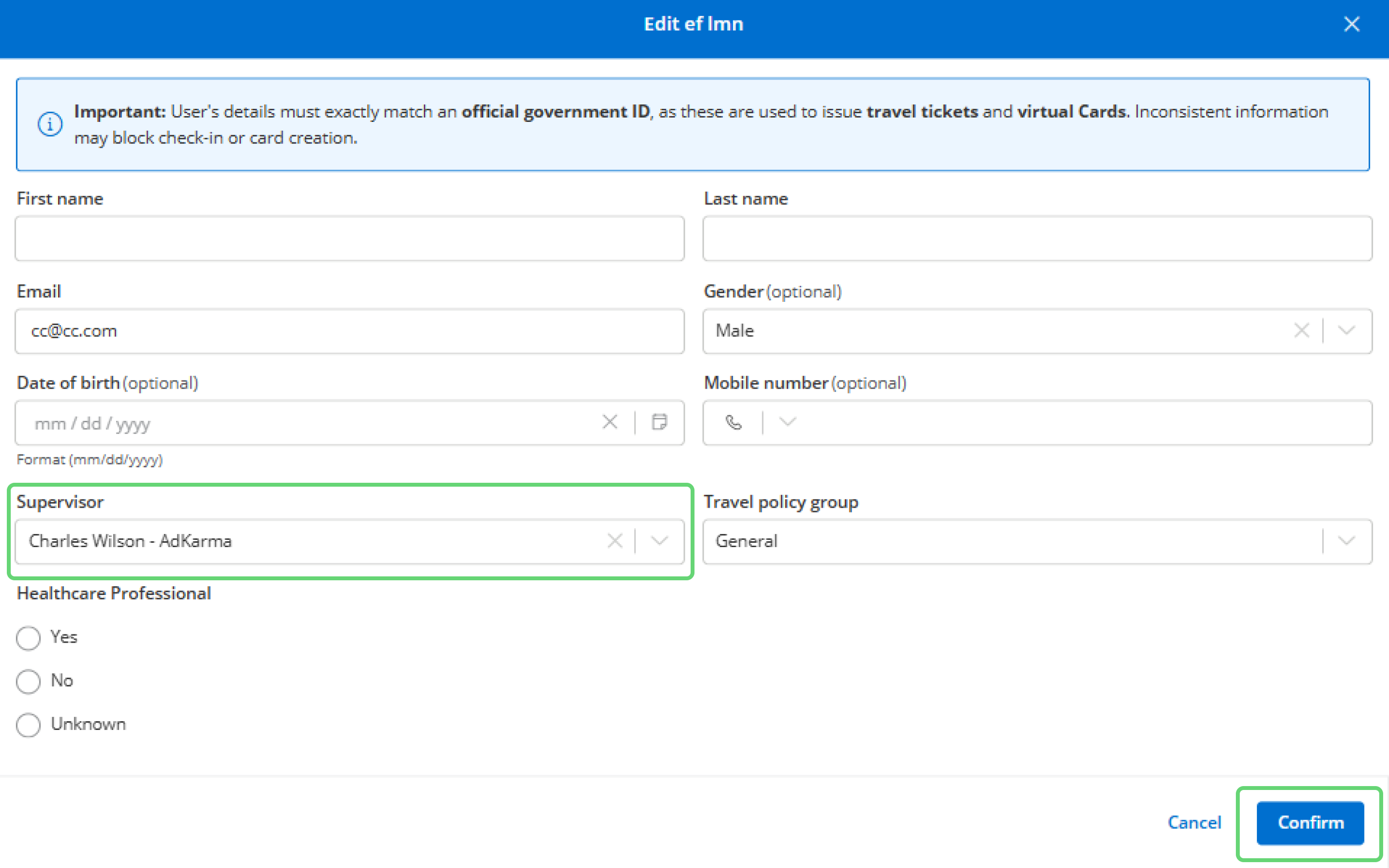
In the event dashboard, click 'Manage' in the Guest Hub section.

Search for the guest you want to assign a new Supervisor to, click the pencil icon on the far right to edit the guest profile.

Select the new Supervisor and click 'Confirm'
Related articles: Approval roles